Memory: variables
Debugging your logic
See what the story remembers, and read validation messages.
On this page
A story that remembers things can do surprising things, and when it does, the cause is almost always one of a short list. This page shows how to see what the story is thinking and how to narrow a problem down.
Watch the story think#
Open Preview and play. Once your story has remembered values, a panel called What the story remembers right now sits under the story. Click its header to open it. Every value appears with its current content, and it updates after each choice.
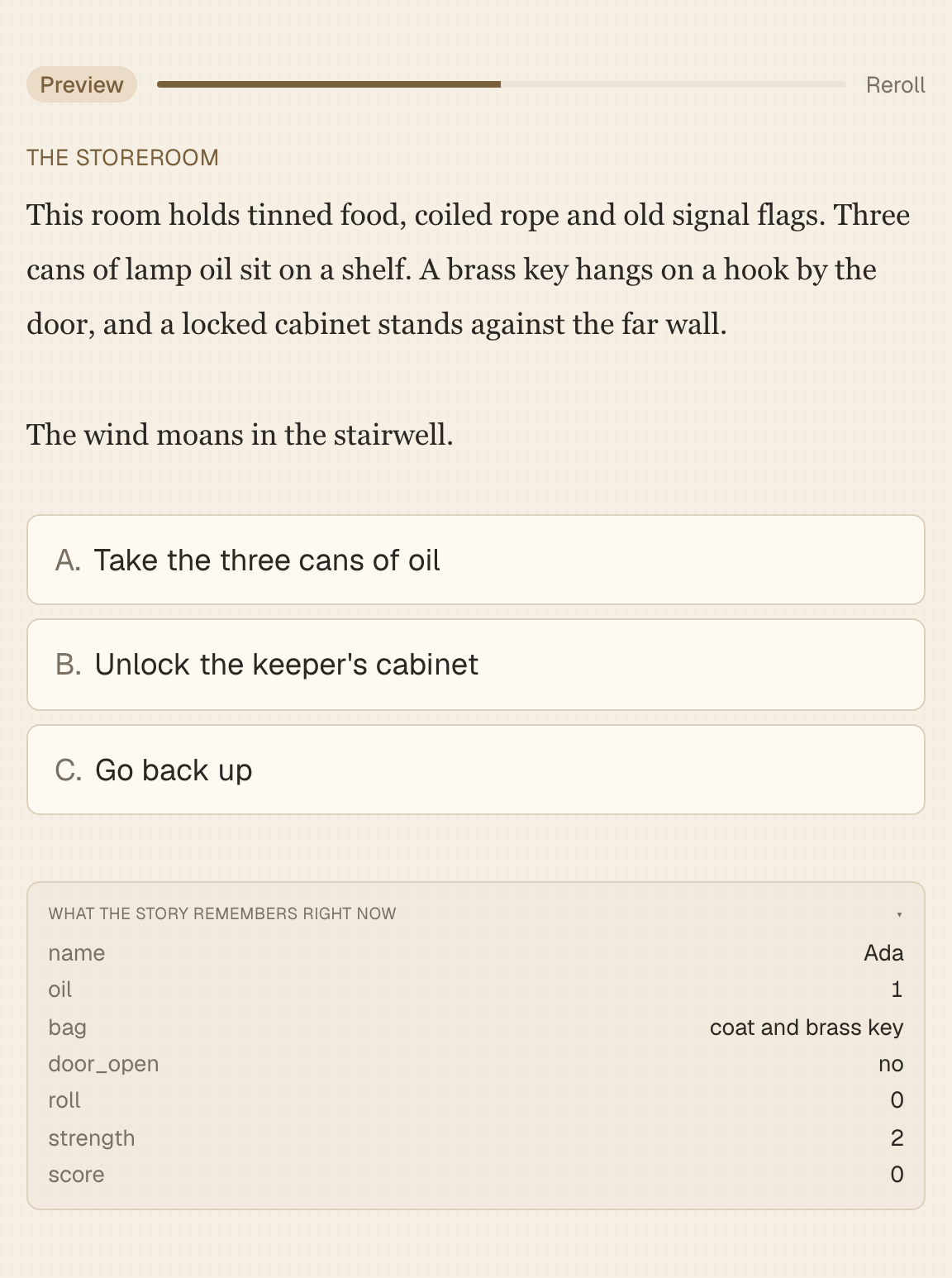
- If a choice is missing, look at the values it checks and compare them with what the panel shows.
- If a number is wrong, replay one step at a time and watch which choice changed it.
- If a scene chose the wrong fork path, check the values the fork's rules test.
Only you see this panel. Readers do not.
Reroll and Preview here#
If the story uses chance, Reroll starts over with a new random seed, so you can see other outcomes. See Randomness.
Preview here on a scene starts a preview at that scene, but every value starts at its starting value, not at what a reader who took the long way round would have. If you are testing something that depends on earlier choices, play from the beginning.
Read the Validation card#
The right panel has a card headed Validation. After every save it checks the structure of your story and lists any problems. Each line has an icon for how serious it is, a plain description, and the name of the scene it is about. Click a line to jump to that scene. Re-check runs it again, and when everything is fine it says No issues.
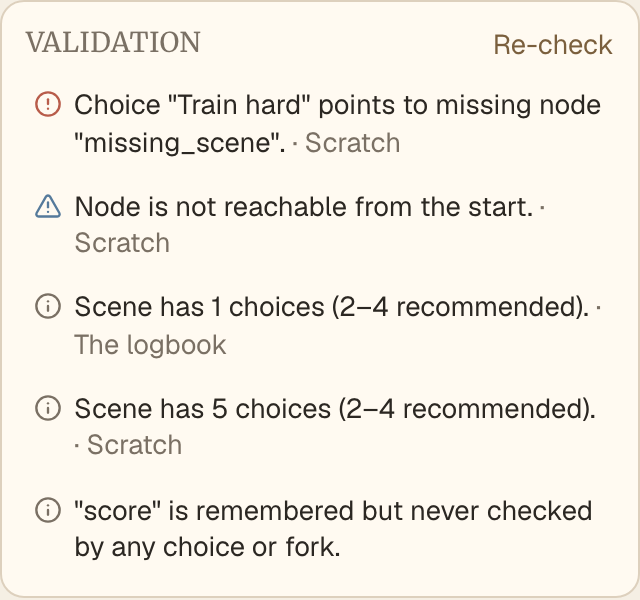
There are three levels.
- Errors are real breakage, such as a choice that points at a scene that does not exist. Submit stays disabled until every error is fixed.
- Warnings point at things that will probably be a problem for readers, such as a scene that no path reaches. They do not block Submit.
- Advice is a nudge, such as a scene with five choices. Take it or leave it.
Validation messages lists every message and how to fix it.
Common symptoms#
| What you see | What to check |
|---|---|
| A choice is missing in the preview | The check on that choice, and the current value of what it tests. Then whether an effect earlier in the story actually ran. |
| The wrong ending | The order of the fork's rules. The first rule that is true wins. |
| A number is off | Effects on arrival run every time a reader reaches the scene. A loop that passes it twice adds twice. |
| A printed value looks old | Printed values are frozen at the moment the reader arrived. |
| A list prints as nothing | The list is empty. Give it a starting item or guard the sentence. |
| "No choices available here" in the preview | Every choice in that scene is hidden by its checks. Add one that always shows. |
| A paragraph never appears | Its checks, and whether the value was set by then. |
A routine that works#
- Reproduce it in Preview from the very start. Do not skip ahead.
- Open the memory panel and find the first step where a value stops matching what you expected.
- Look at the choice you just made. Does it have an effect? Is it the right effect on the right value?
- Look at every check and fork rule that uses that value.
- Fix one thing, and replay from the start.
Habits that prevent bugs#
- Name values for what they mean.
has_keybeatsflag2. - Add one value at a time and test it before adding the next.
- Give every scene at least one choice that always shows.
- Read the Validation card before you submit, and again after every large edit.
Next#
Once your story works, you may want to reward readers for finding things. Read Achievements.